- AQH Weekly Deep Dive
- Posts
- Professional C++ with CMake for Quants & Algo Trading
Professional C++ with CMake for Quants & Algo Trading
AlgoQuantHub Weekly Deep Dive

Nicholas Burgess
January 16, 2026

Welcome to the Deep Dive!
Here each week on ‘The Deep Dive’ we take a close look at cutting-edge topics on algo trading and quant research.
This Week, we dive into how Quants use CMake to build professional C++ Quant analytics systems for algorithmic trading. Quants need to be experts in trading, mathematics, financial markets and programming. This week we give a professional insight into how Quants set-up their coding environments in investment banks and hedge funds.
Bonus Content, this week we give a canonical, stylised, working CMake example, showing how to create a Quant mathematics library using CMake. We create a simple C++ maths library comprising of Quant analytics for trading with dependencies on mathematical sub-libraries. Whilst intentionally stylised, it gives an excellent overview of how CMake is used to develop professional Quant analytics for financial markets.
Table of Contents
Feature Article: Professional C++ with CMake for Quants & Algo Trading
What is CMake, how does it work and how do Quants use it for Algo Trading?
In professional quant trading environments — particularly in investment banks and hedge funds — build systems are not just developer convenience tools, they are controls against model risk. Quant analytics libraries are often developed locally on Windows, while production trading, risk, and forecasting systems run on Linux servers. If pricing models, curve construction, or signal generation code is built differently across platforms, the result is silent systems arbitrage: identical code paths producing subtly different numbers. CMake is widely used in professional environments precisely because it enforces cross-platform build consistency while still allowing teams to use native tooling on each platform.
CMake is a build system generator. Rather than compiling code directly, it produces native build files for the target environment — Visual Studio solutions on Windows, Makefiles or Ninja builds on Linux, and equivalent tooling on macOS — from a single, platform-agnostic project definition. This allows quant teams to describe analytics libraries, executables, and dependencies once, and then build them reliably across research machines, CI pipelines, and production servers. In practice, this is how professional quant desks keep pricing, risk, and execution logic aligned across environments without maintaining parallel build systems.
On Windows with Visual Studio, CMake offers multiple workflows, both commonly used in industry. One option is to open the project’s root folder as a folder directly in Visual Studio, which uses CMake internally and is effectively equivalent to running the following from Visual Studio command line
cmake -S . -B build where -S defines the source directory and -B specifies where build artifacts are generated. Visual Studio then configures, builds, and debugs the project without ever producing a traditional solution file. Alternatively, teams can explicitly generate a Visual Studio solution from Visual Studio command line using,
cmake -G "Visual Studio 17 2022" <path-to-project-root> open the resulting .sln file, and build using the native Visual Studio workflow. A solution file is simply a container that groups multiple targets, manages configurations such as Debug and Release, and defines build dependencies. CMake allows teams to choose the workflow that best fits their environment without changing the underlying project definition.
From the command line, CMake follows a deliberate two-stage process: configure and build. The configure step (cmake -S . -B build) reads the project’s CMakeLists.txt files, detects compilers, resolves dependencies, and generates platform-specific build files. The build step (cmake --build build --config Release) then invokes the underlying backend — MSBuild, Make, or Ninja — to compile the code and place the generated output binaries in the build folder. Structurally, CMake projects scale through recursion: each directory typically maps to a logical component and contains its own CMakeLists.txt. The root file defines global policies and pulls subprojects together using add_subdirectory. This mirrors how professional quant libraries are structured: small, composable components assembled into larger pricing, risk, and trading systems.
The result is not just portability, but reproducibility. When the same CMake configuration builds the same analytics library on a Windows research machine and a Linux trading server, teams dramatically reduce the risk of discrepancies in pricing, risk metrics, or market forecasts caused by build drift rather than market dynamics.
Useful Resources
Professional CMake, A Practical Guide - by Craig Scott
Why it’s top: This book is basically the gold standard for C++ developers. It explains why things work the way they do, not just the syntax, and covers modern CMake best practices — exactly what you need for cross-platform quant libraries and modular projects.
Tip: The online version is free for reading, but the printed book is great for reference.

CMake Tutorial - cmake.org
The CMake tutorial provides a step-by-step guide that covers common build system issues that CMake helps address. Seeing how various topics all work together in an example project can be very helpful.
Why it’s top: It’s the authoritative source, updated with every release, and includes both beginner tutorials and advanced topics like generator expressions, custom commands, and cross-platform builds.
Tip: Focus on the “CMake Tutorial” first, then gradually read the
cmake-commandsandcmake-modulessections when you need specifics.

Keywords:
CMake, quant analytics, algo trading infrastructure, cross-platform C++, CMake in finance, professional C++ development, trading systems, risk systems, reproducible builds
Bonus Article: A CMake Example for Quant Analytics Libraries
This example is intentionally very simple, designed to make the CMake flow easy to understand rather than to model a full production system. The structure represents a minimal quant analytics solution where the main pricing and analytics logic lives in an Analytics project, and supporting mathematical components are implemented as reusable libraries. In this case, we assume two toy math libraries called Addition and Subtraction, which the analytics layer depends on to derive trading prices and forecast financial markets. In real trading systems, these would be curve builders, payoff evaluators, numerical solvers, or risk calculators.
CMake is used here to define the entire solution and link all components together using the native build infrastructure of the chosen platform, whether that is Windows, Linux, or macOS. The same project definition can generate a Visual Studio solution for local research and debugging, or Make/Ninja builds for CI and production servers. The simplicity of the example makes it easy to follow how libraries are declared, how dependencies are expressed, and how an executable pulls everything together.
At the root of the project, the CMakeLists.txt file defines global settings and pulls in each component:
cmake_minimum_required(VERSION 3.20)

project(MathLibrary LANGUAGES CXX)

set(CMAKE_CXX_STANDARD 17)
set(CMAKE_CXX_STANDARD_REQUIRED ON)

add_subdirectory(Addition)
add_subdirectory(Subtraction)
add_subdirectory(Analytics)
Each subdirectory represents a logical project. For example, the Addition library is defined as a standalone static library with explicit include paths:
add_library(Addition STATIC
    add.h
    add.cpp
)

target_include_directories(Addition
    PUBLIC $<BUILD_INTERFACE:${CMAKE_CURRENT_SOURCE_DIR}>
)
The Analytics project then defines an executable and links against the math libraries it depends on:
add_executable(Analytics
    main.cpp
)

target_link_libraries(Analytics PRIVATE Addition Subtraction)
This flow — define small libraries and link them explicitly into higher-level analytics — mirrors how professional quant teams structure production systems. The example is deliberately easy to read and reason about, making it quick for readers to understand how CMake composes projects and manages dependencies.
CMake Examples
Below I include the link to small demo repositories so readers can clone the code, run CMake locally, and experiment with the structure in minutes.
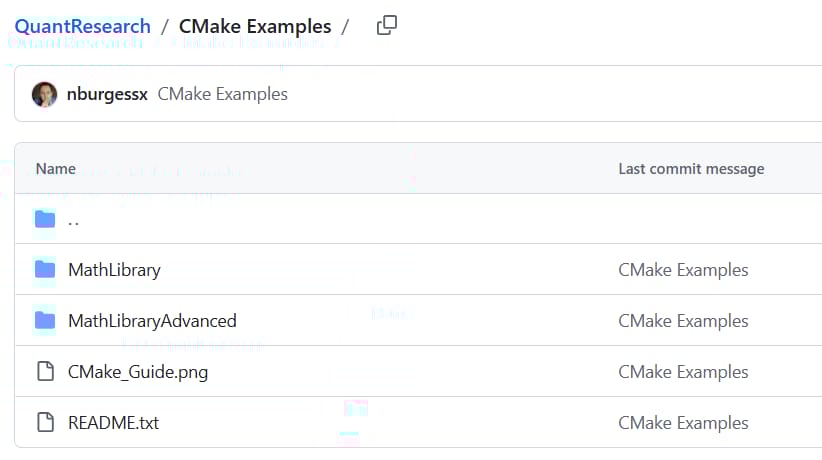
GitHub - CMake Examples Link
https://github.com/nburgessx/QuantResearch/tree/main/CMake%20Examples
Keywords:
CMake quant example, quant analytics C++, CMakeLists.txt tutorial, algo trading C++ infrastructure, CMake project flow, trading analytics build systems
Exclusive Algo Quant Store Discounts
Algo Trading & Quant Research Hub
Get 25% off all purchases at the Algo Quant Store with code 3NBN75MFEA.

Useful Links
Quant Research
SSRN Research Papers - https://ssrn.com/author=1728976
GitHub Quant Research - https://github.com/nburgessx/QuantResearch
Learn about Financial Markets
Subscribe to my Quant YouTube Channel - https://youtube.com/@AlgoQuantHub
Quant Training & Software - https://payhip.com/AlgoQuantHub
Follow me on Linked-In - https://www.linkedin.com/in/nburgessx/
Explore my Quant Website - https://nicholasburgess.co.uk/
My Quant Book, Low Latency IR Markets - https://github.com/nburgessx/SwapsBook
AlgoQuantHub Newsletters
The Edge
The ‘AQH Weekly Edge’ newsletter for cutting edge algo trading and quant research.
https://bit.ly/AlgoQuantHubEdge
The Deep Dive
Dive deeper into the world of algo trading and quant research with a focus on getting things done for real, includes video content, digital downloads, courses and more.
https://bit.ly/AlgoQuantHubDeepDive
 |  |
Feedback & Requests
I’d love your feedback to help shape future content to best serve your needs. You can reach me at [email protected]