- AQH Weekly Deep Dive
- Posts
- Live Algo Trading using Python and the IB Broker API
Live Algo Trading using Python and the IB Broker API
AlgoQuantHub Weekly Deep Dive

Nicholas Burgess
August 08, 2025

Welcome to the Deep Dive!
Here each week on ‘The Deep Dive’ we take a close look at cutting-edge topics on algo trading and quant research.
Last week, we delved into the world of algorithmic trading and statistical arbitrage—also known as pairs trading. This week, we discuss how to automate and seamlessly connect trading algorithms directly to financial markets for both simulated and live trading using the Interactive Brokers Python API (ibapi).
Bonus content, includes an exclusive step-by-step guide of how to connect Python code to IB Broker using their Python API. We also provide both Python code and video training materials showing how to place and manage live orders, source market data and check your account balance and trading positions.
Table of Contents
Exclusive Quant Discounts
Get 25% off all purchases at AlgoQuantHub’s digital store with code 3NBN75MFEA
Feature Article: Live Algorithmic Trading using Python and IB Broker
Bringing your trading strategies live and connected to the markets is a crucial step for any algorithmic trader, and Interactive Brokers (IB) offers a compelling solution with its native Python API. This API acts as a direct, event-driven link between your Python code and IB’s powerful trading infrastructure, enabling seamless automation from order execution and market data streaming to position management. For traders and quants familiar with Python, it opens the door to fully automated strategy deployment on one of the world’s largest electronic brokerages.
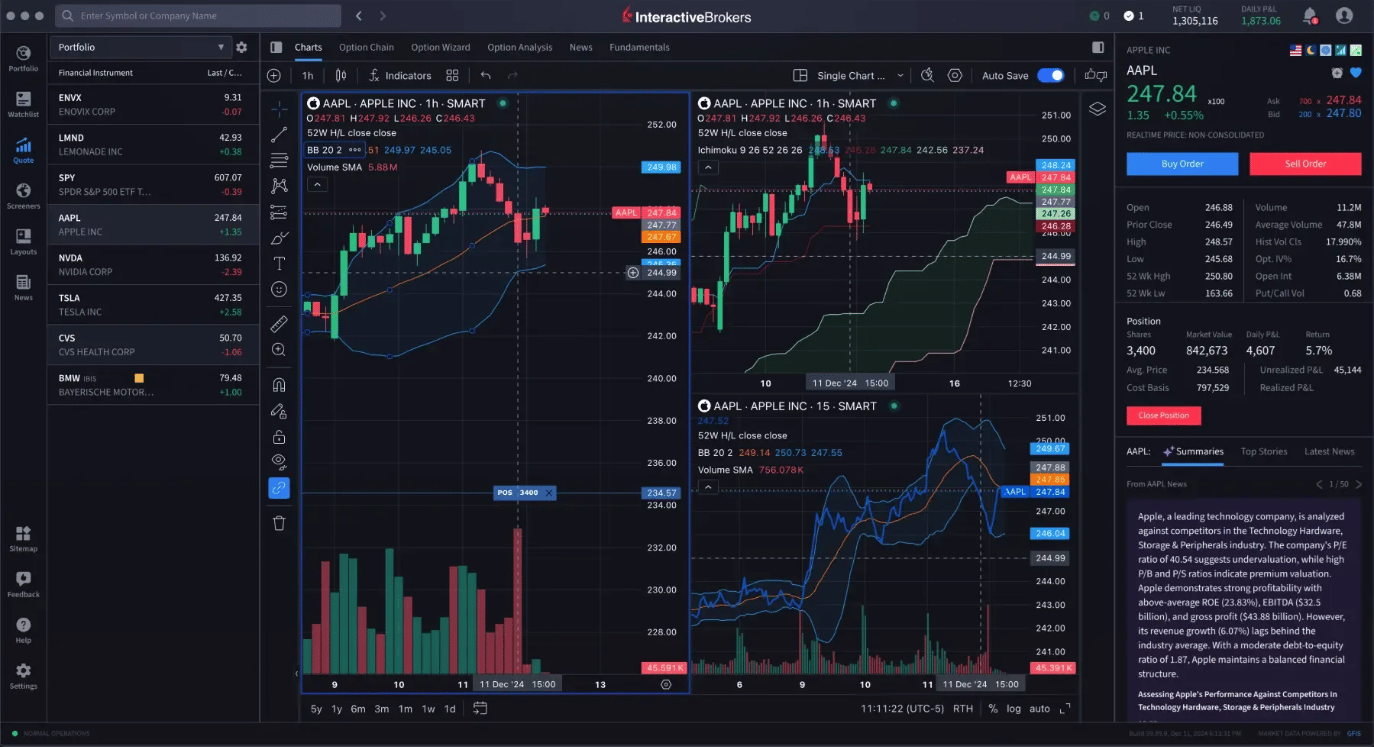
Getting started is straightforward and well-documented in IB Broker 101 resources. First, you need an IB account—either a simulated paper trading account for testing or a live account for real trading. The official IB Python native API, available for download on IB’s website, provides the necessary classes and tools to connect via either the Trader Workstation (TWS) or the lighter IB Gateway client. IB’s comprehensive documentation guides you through these steps, illustrating how to establish a socket connection, handle asynchronous data updates through subclassing core API modules, and manage effective interaction with IB’s servers.
Once connected, the API supports rich functionality with intuitive methods to request historical and live market data, place and manage market or limit orders, and receive real-time order status updates through callback handlers. For example, historical data can be fetched with flexible parameters specifying time ranges and data granularity, then seamlessly processed into pandas DataFrames for analysis. Placing an order becomes as simple as creating an order object with desired parameters and submitting it, with your code notified instantly as trades execute or statuses change.
To complement the documentation, IB provides excellent video training content that walks through core concepts and practical coding examples, helping new users understand the asynchronous, event-driven nature of the API and best practices for implementation. Whether you are refining your first algo or scaling complex strategies, mastering the IB Python API offers a professional-grade, scalable gateway to automated trading and market connectivity. It empowers traders to move confidently from quantitative research and strategy development into live market execution with robust control and real-time insight.
Resources
IB Official API Documentation
Interactive Brokers Campus - Python TWS API Video Course
Keywords
Automation, Trading Strategies, Algorithmic Trading, Python, API, Interactive Brokers, IB Broker, Connect, Market Data, Place Orders, Order Management, Position Management, Account Balances, Trade Execution
Bonus Content - Exclusive Guide to IB API with Live Examples
Python trading strategies can be used to execute live trades with most brokerage accounts. Interactive Brokers offers a Python API called that enables you to connect your Python code to their trading platform (TWS or IB Gateway). In the appendix below we provide a technical example showing how to connect.
The IB Broker Python API allows you to automate trading, access live or historical market data, and manage orders programmatically. From the API we can execute trades, place and manage orders, and seamlessly check account information, cash balances, trading positions, maintenance margin. It also makes it easy to source historical and tick market data to algorithmically back test your trading strategies.
For a free comprehensive guide with step-by-step instructions and Python examples click-here. Contents include:
IB Broker API PowerPoint Guide
Connect.ipynb
AccountSummary.ipynb
MarketData.ipynb
OrderManagement.ipynb
Textbook
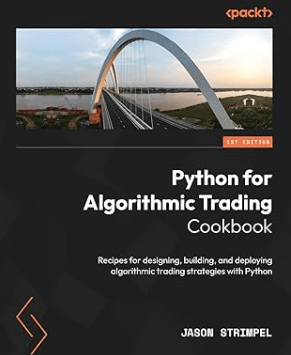
For a text book on algorithmic trading that includes an overview of the IB Broker Python API we recommend Python for Algorithmic Trading by Jason Strimpel.
Appendix - Technical Example
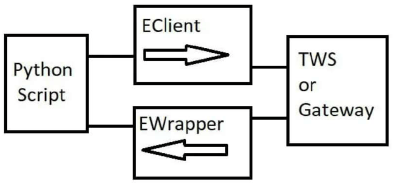
The IB Python API connects through IB’s TraderWorkStation (TWS) or the IB Gateway via TCP socket. It combines sending requests (EClient) and receiving callbacks (EWapper). The API is event-driven and asynchronous - this means requests are non-blocking and responses come via callbacks that are already full implemented and available for use e.g. connect(), placeOrder(), reqMktData()
The code snippet shows how to connect programmatically to IB Broker, this can easily be automatically produced using ChatGPT. As with all trading, discretionary or algorithmic, everything must be thoroughly tested before going live.
from ibapi.client import EClient
from ibapi.wrapper import EWrapper
import threading
import time

# Basic Code Structure
class IBApp(EWrapper, EClient):
    def __init__(self):
        EClient.__init__(self, self)

    def nextValidId(self, orderId):
        time.sleep(1) # pause for connection
        print(f"Connected - Next Order ID: {orderId}")

# Connect
app = IBApp()
app.connect('127.0.0.1', 7497, 123) # host, port, clientID

# Call app.run as a background thread
thread = threading.Thread(target=app.run)
thread.start()

# Disconnect Cleanly
app.disconnect()
thread.join()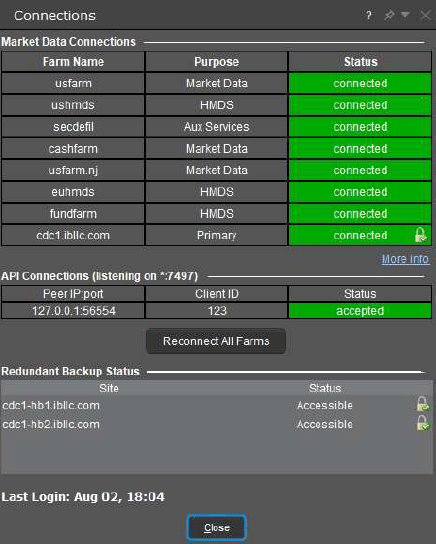
Useful Links
Quant Research
SSRN Research Papers - https://ssrn.com/author=1728976
GitHub Quant Research - https://github.com/nburgessx/QuantResearch
Learn about Financial Markets
Subscribe to my Quant YouTube Channel - https://youtube.com/@AlgoQuantHub
Quant Training & Software - https://payhip.com/AlgoQuantHub
Follow me on Linked-In - https://www.linkedin.com/in/nburgessx/
Explore my Quant Website - https://nicholasburgess.co.uk/
My Quant Book, Low Latency IR Markets - https://github.com/nburgessx/SwapsBook
AlgoQuantHub Newsletters
The Edge
The ‘AQH Weekly Edge’ newsletter for cutting edge algo trading and quant research.
https://bit.ly/AlgoQuantHubEdge
The Deep Dive
Dive deeper into the world of algo trading and quant research with a focus on getting things done for real, includes video content, digital downloads, courses and more.
https://bit.ly/AlgoQuantHubDeepDive
 |  |
Feedback & Requests
I’d love your feedback to help shape future content to best serve your needs. You can reach me at [email protected]